Upload an image
Choose a JPG, PNG or WebP from your phone or computer. HEIC is not supported in this version.
Crop your signature, adjust whitespace and review the real output file.
How to use this tool (opens in a new tab)Applicant reports dated 14 October 2026 describe the live portal rejecting signatures below 300 × 100 px and above 450 × 200 px; a second report describes the same interval. These are secondary reports, not TNPSC-published validation rules. Compare the portal's response and follow its current message. Current byte window: 10.00 KiB (10,240 bytes) – 19.53 KiB (20,000 bytes). Check the source and applicability. Use Change Settings to adjust dimensions or the upper file-size target. The minimum remains enforced. The maximum stays below decimal KB and binary KiB ceilings.
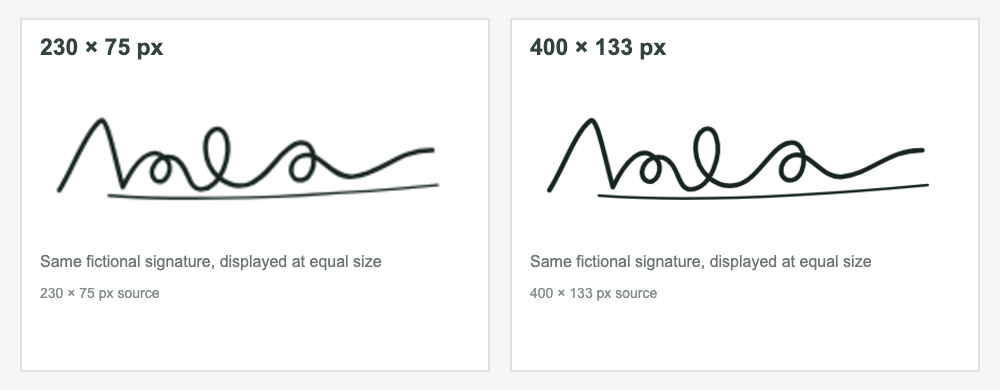
Size comparison: 230 × 75 px is printed in the 2026 notice. A 3.5 × 1.5 cm canvas at 200 DPI converts to about 276 × 118 px (275 × 118 px when rounded down). Both are narrower than the 300 px lower width cited in secondary reports. This tool exports 400 × 133 px, close to the notice box's 3:1 shape and within the reported 300 × 100 to 450 × 200 px interval. That interval is not a validator published by TNPSC.
Choose an image or drag and drop it here.
JPG, PNG or WebP · up to 10 MiB / 24 megapixelsChoose a JPG, PNG or WebP from your phone or computer. HEIC is not supported in this version.
Keep the full image with white space, or switch to a manual crop. Review any brightness changes.
Review actual JPEG dimensions, bytes and DPI. Enlarge the result before saving it to your device.
For a TNPSC Group 4 signature compressor submission, draw a 6.0 × 2.0 cm box on plain white paper and sign inside it in blue or black ink. Keep the sheet flat. Avoid folds, shadows, glare and uneven light. Scan at 200 DPI, crop to the box, and check that every stroke is clear. Save the JPEG as Signature.jpg and keep it within 10–20 KB.
Keep Photograph.jpg and Signature.jpg as separate files. Choose the photo for the photograph field and the signature for its field. Wait for each preview or status message, then review the application summary before submitting. Save the portal confirmation for your records.
Group II/IIA, TNUSRB and TRB applications may use different image dimensions, file sizes, formats or upload steps. The Group IV values on this page apply to Notification 11/2026. Check the current notice and instructions in your own application before choosing settings in the TNPSC Signature Compressor 2026.
Notification 11/2026 lists 5 November 2026 as the application deadline. Its correction window runs from 9 November 2026 at 12:01 AM to 11 November 2026 at 11:59 PM. Use it only for changes the portal allows, and confirm the latest dates and status on the official application page.
The product default exports 400 × 133 px with 200 DPI metadata and a 10–20 KB file-size range. These are starting settings; check your current examination notice before uploading.
Please check your exam notification before uploading.
TNPSC Group 4 signature compressor size guideThe editor uses your browser to decode, edit and encode your file. Images, names and dates are not submitted to a server or analytics service.
The 2026 Group IV notice §3.3 specifies 130 × 170 px for the photo; §3.5 specifies a 230 × 75 px signature box. The product defaults remain separate. Dated application-site reports describe a larger signature portal interval; see the size guide for sources and choose using your active form's instructions.
The output must fit both byte limits: 20,480–49,999 bytes for photos and 10,240–20,000 bytes for signatures. These boundaries account for decimal and binary KB conventions. The encoder adjusts quality. If the source cannot meet both limits, it explains the failure and offers no download. It never adds filler bytes.
No. The tool resizes the image you provide. Keep the full signature option enabled to retain all of the source, and inspect fine strokes in the enlarged result.
Use the dedicated photo compressor for that image type. Preparing both? Use the Group IV photo and signature kit.
Check the pixel width and height requested by your current application. The 2026 Group IV notice specifies a 230 × 75 px signature box. Applicant reports dated 14 October 2026 describe rejection below 300 × 100 px; a second report describes a 300 × 100 to 450 × 200 px interval. This tool defaults to 400 × 133 px and offers 230 × 75 px as a separate notice reference. These are secondary reports, not TNPSC-published validation rules; follow your current application's instructions. The TNPSC Group 4 signature compressor size guide links the official notice and dated secondary reports.
Check both ends of the stated byte range. The tool enforces 10,240–20,000 bytes for signatures and 20,480–49,999 bytes for photos. Those limits fit 10–20 KB or 20–50 KB whether a portal counts KB in 1,000-byte or 1,024-byte units. It adjusts JPEG quality, never adds filler bytes, and explains when the source cannot meet both limits.
The 2026 Group IV notice §3.3 specifies 130 × 170 px (3.5 × 4.5 cm), with a 115 px face area and 55 px name/date strip. Section 3.4 separately instructs scanning paper photos at 200 DPI and saving 20–50 KB. This tool's product default remains 276 × 354 px at 200 DPI, with 130 × 170 px available as a reference setting. The photo must be taken on or after 6 October 2026; use the dimensions shown by your active form.
Compare the image with the 2026 Group IV notice: a colour studio photo on a white background, frontal view showing both ears and part of the neck, with the candidate name and photo date at the bottom. This browser tool resizes your image; it does not verify identity, studio origin, background compliance or portal acceptance.
Read the error shown by the official application portal and contact TNPSC support if the requirement is unclear. Notification 11/2026 lists a correction window from 9 November 2026, 12:01 AM through 11 November 2026, 11:59 PM. Check the portal to see which changes it allows.